
Until now, Our AI Assistant SAIL helped you find information about how to use the Trendemon platform. Now, you can also ask SAIL questions about your website data and receive clear, data-driven answers directly within the Trendemon dashboard.
Instead of manually reviewing multiple reports, applying filters, and comparing different periods, you can ask SAIL a question in everyday language. SAIL analyzes the relevant data and summarizes the findings for you.
This can help you quickly:
- Identify meaningful changes in website traffic, engagement, and conversions.
- Understand which target audiences, sources, campaigns, and content contribute most to conversions.
- Detect underperforming areas, such as high-traffic pages with low conversion rates.
- Evaluate the reach and performance of your Trendemon personalization units.
- Make faster, data-informed decisions without having to build or analyze reports manually.
This capability uses OpenAI’s ChatGPT platform to analyze relevant data from your Trendemon account and generate the answers displayed in SAIL.
So... What can you ask SAIL?
Traffic and engagement
Understand how traffic and engagement are changing across audiences and content areas.
You can ask: “Show me the daily pageview trend over the past 30 days” or “Are companies in my target segment visiting and engaging more or less over time?”
Conversions
Analyze goal completions and conversion rates across audiences and company segments.
You can ask: “Which audiences convert best, and which are underperforming?” or “Which segments have high traffic but low conversion rates?”
Sources and campaigns
Understand which channels and UTM campaigns drive traffic, engagement, and conversions.
You can ask: “Which channels drive the most traffic, and which drive the most conversions?” or “Which UTM campaigns attract companies from my target segments?”
Content performance
Identify the pages that engage visitors and contribute to conversions.
You can ask: “Which pages drive the most conversions for a specific goal or audience?” or “Which pages receive high traffic but rarely lead to conversions?”
Personalization coverage and performance
Understand how much of your traffic is exposed to Trendemon personalization units, identify important coverage gaps, and evaluate unit performance based CTRs and conversions.
You can ask: “Which high-traffic pages have little or no personalization coverage?” or “Which personalization units have the highest click-through rates, and which are underperforming?”
How to Use It
1. Click the SAIL chatbot icon in the upper-right corner of the Trendemon dashboard.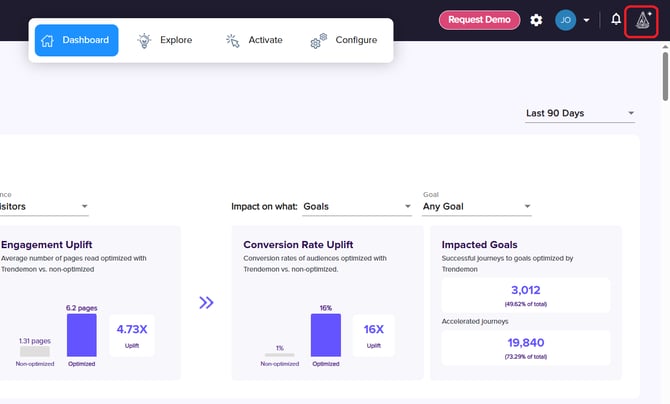
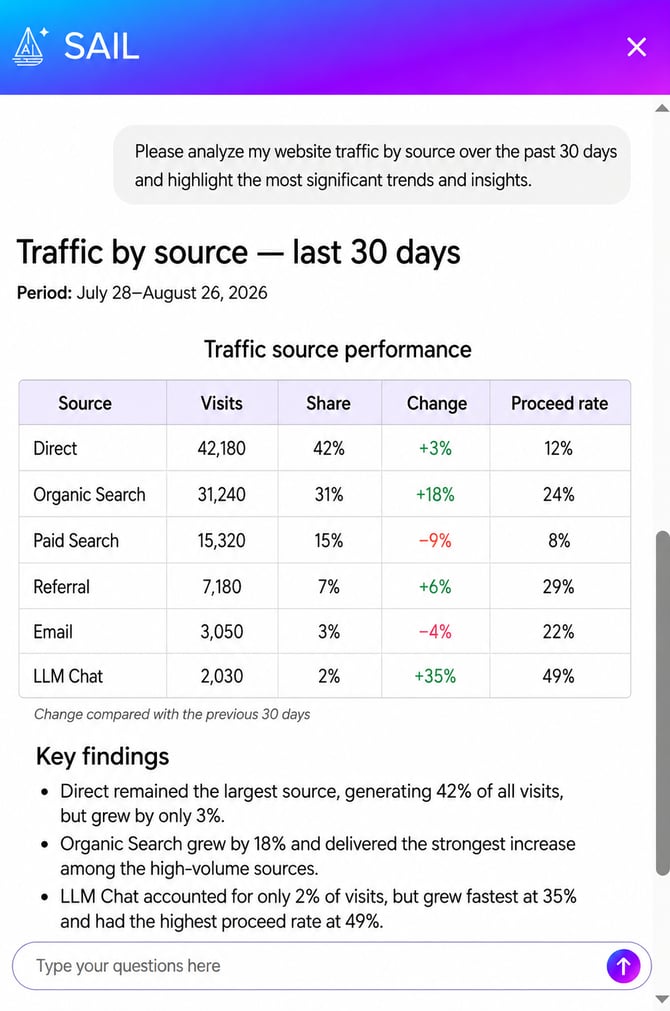
3. Continue the conversation by asking follow-up questions to explore the data in greater detail.
How to enable this feature
The ability to ask our AI Assistant about you data must be enabled for your account before you can use it.
To request access, contact your Customer Success Manager or email us at support@trendemon.com.