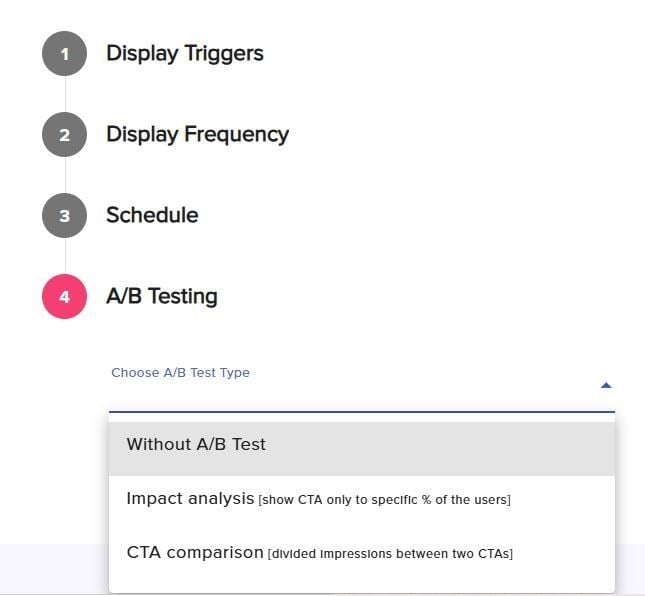
In this section you can adjust additional settings for your campaign according to the following options:
Display Triggers
When running campaigns, we want to define what will trigger the campaign to appear to your audience. You can choose any type of triggering regardless of the design and layout that you chose.
Triggers only apply to units that aren’t embedded, since embedded units are displayed automatically when the page loads.
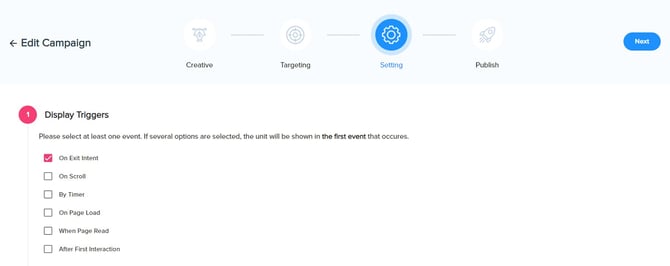 Below are all the Triggering options.
Exit intent – The campaign will appear once the pointer of the mouse exists on the page. On mobile, this triggering will behave differently, since you can’t actually exit a page with your pointer on mobile. In this case, the campaign will appear if the visitor scrolls all the way down and back to the top. Lightbox layouts perform especially well when triggered by exit intent, often driving high CTRs.
On Scroll – The campaign will appear when the visitor will scroll in the page, once you check box it, you can define the % of scroll depth.
By Timer – The campaign will appear when the visitor spends x seconds on the page. Once you check box it, you can define the number of seconds before it will appear.
After Page Load – The campaign will appear immediately when the page completes loading. This triggering is best to use in scenarios that you want the campaign to be presented fast.
After Page is read – We identify when a page is read if the visitor scrolled all the way down the page and spent time on the page. This triggering will appear only to visitors that read the page.
After First Interaction – The campaign will be presented after the visitor clicks any button on the page.
Display Frequency
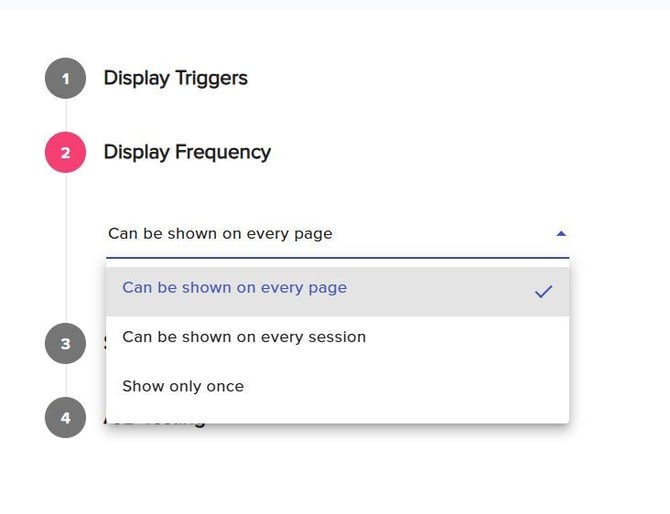
In this section, you can choose how often the campaign is shown to each visitor. Important: Once a visitor clicks on the campaign, it will not be shown to them again.
Available options:
Can be shown on every page (default) - The campaign will appear on every eligible pageview, meaning the visitor may see it multiple times during the same session. This option provides maximum exposure.
Can be shown on every session - The campaign will appear only once per session for each visitor.
Show only once - The campaign will be shown only once per visitor across their entire journey, throughout multiple sessions.
Schedule
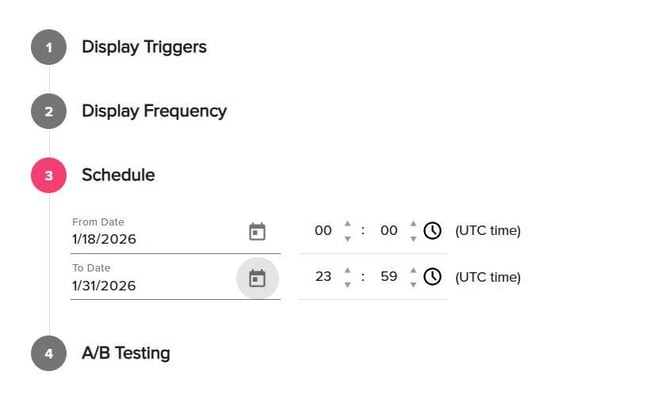
In some cases, you need the campaign to start and end at a certain date, for example when running a campaign to sign up visitors to an upcoming webinar. For these use cases, you can schedule the campaign. You can also pick the hour of the scheduler, please note that the time is UTC.
A/B Testing
A/B testing is the best way to compare different designs , layouts and messaging of the campaign to determine what will provide you with the best CTR. There are 2 types of campaign A/B testing
1. Compare between 2 campaigns - Choose the campaign you want to compete with and we will split the impressions 50/50 between them
2. Impact analysis - Present the campaign to just a selected audience. That way you can measure if the campaign has a better impact on conversions than not showing it at all