
Trendemon enables you to run the same Trendemon code on multiple domains or subdomains (e.g. blog.mysite.com) .
Before you add a new domain, please contact your Customer Success Manager (or email us at support@trendemon.com) so we can asses the traffic in the new domain you want to include.
In order to add the Trendemon code to a new domain follow this steps:
1. Add our code to the domain by following these instructions.
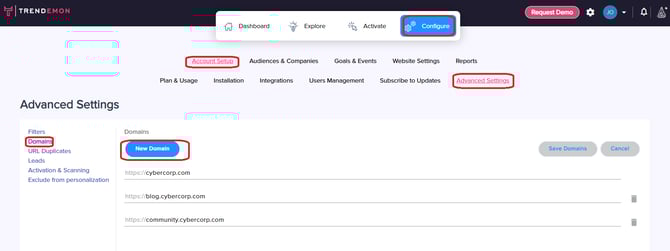
2. Add the new domain by navigating to Configure > Account Setup > Advanced Settings > Domains. Click on "New Domain"
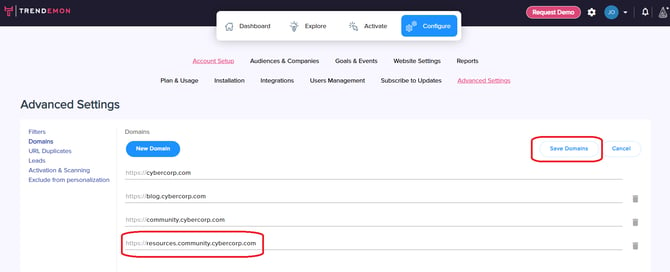
Add the new domain to the list, and click on "Save Domains"
Once your new domain is added, it's best to set it up as a separate area inside Trendemon so you could easily track its traffic and use it for displaying personalization units. Click here to learn more about Areas and how to set them up.